

Wizardry 6: How to Improve the Default Mana Regeneration Using Mad God’s Utility
I stumbled upon a great question on reddit that probably belongs on a permanent page some place. I wrote an answer over there but wanted to reproduce my answer here as well with some screenshots to help anyone who wants to edit any classes’ base mana regeneration.
- Backup your game installation and especially your save game files before modifying anything.
- run CosmicForgeU.exe (or wine CosmicForgeU.exe if you’re on a linux/unix type of system like a mac)
- click on Miscellaneous on the menu
- Choose View Game Information from the menu
- You will see all the class names on the top box.
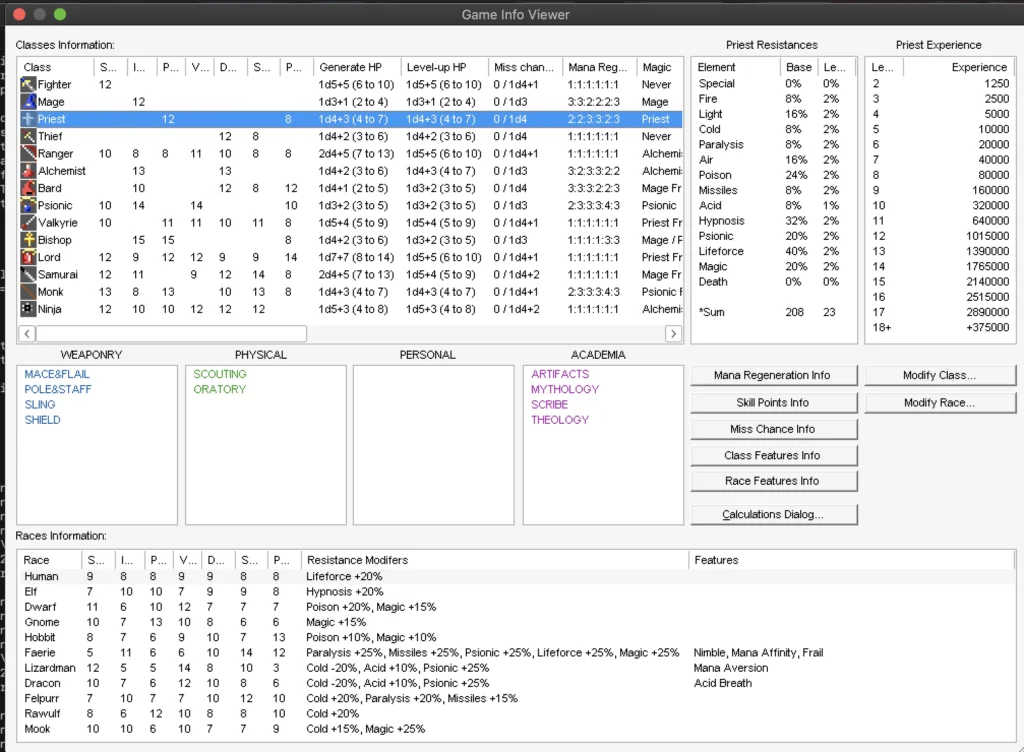
- Select the class you want to modify the mana regeneration
- Click on Modify Class on the right side button
- On the upper right side with the Mana Regeneration, choose the spell school you want to alter and double click on it
- Update the number to be the value you want and hit the OK button
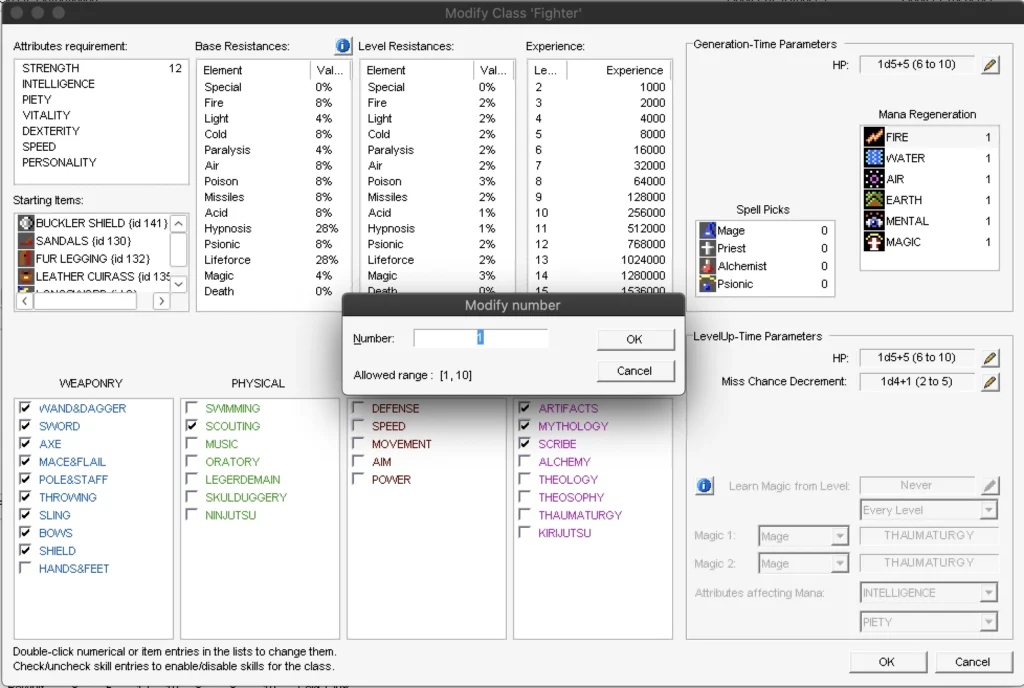
- Repeat as necessary per spell school class/character class
- Close out the other windows until you get back to the main one
- Hit Save (not sure if you need this but I do it regardless)
- Load your game and test the update
- Enjoy!
(Visited 26 times, 1 visits today)